

Exchange Rates
As an admin, you will keep BigBooks' daily foreign-exchange rates current so that every foreign-currency invoice, bill, and payment converts to LAK at the right buying or selling rate — and so the figure each transaction was booked at never changes after the fact.
What you'll accomplish
As an Admin, you will keep BigBooks' daily foreign-exchange rates current so that every foreign-currency invoice, bill, and payment converts to LAK at the right buying or selling rate — and so the figure each transaction was booked at never changes after the fact.
Before you start
Exchange rates live at /[lang]/exchange-rates. This screen is a date-pickable rate grid, not a list-detail screen: you pick a date in the secondary header, then edit rates directly in the page and save them all at once. Viewing requires the canViewExchangeRates permission; editing rates requires an admin (or account-manager) role — other roles see the grid read-only.
The currencies on the grid are driven by an upstream Currency activation card at the top of the same page: you choose the company's base currency (LAK by default) and toggle on the foreign currencies you transact in. Each active foreign currency adds one rate pair (e.g. USD → LAK, THB → LAK) to the grid below — there is no separate settings route for this.
Each pair has three rate types, shown as three columns: AR Buying (the rate used when money comes in — sales), AP Selling (the rate used when money goes out — purchases), and Mid (the book rate for internal entries). Each cell reads as a sentence — "1 USD = ____ LAK" — so the conversion direction is never ambiguous.
Steps
Pick the date and activate currencies
Open /[lang]/exchange-rates. Use the date picker in the secondary header to choose the day you are setting rates for (it defaults to today; you cannot pick a future date). In the Currency activation card, confirm your base currency and switch on each foreign currency you use — every active currency adds a pair to the grid.
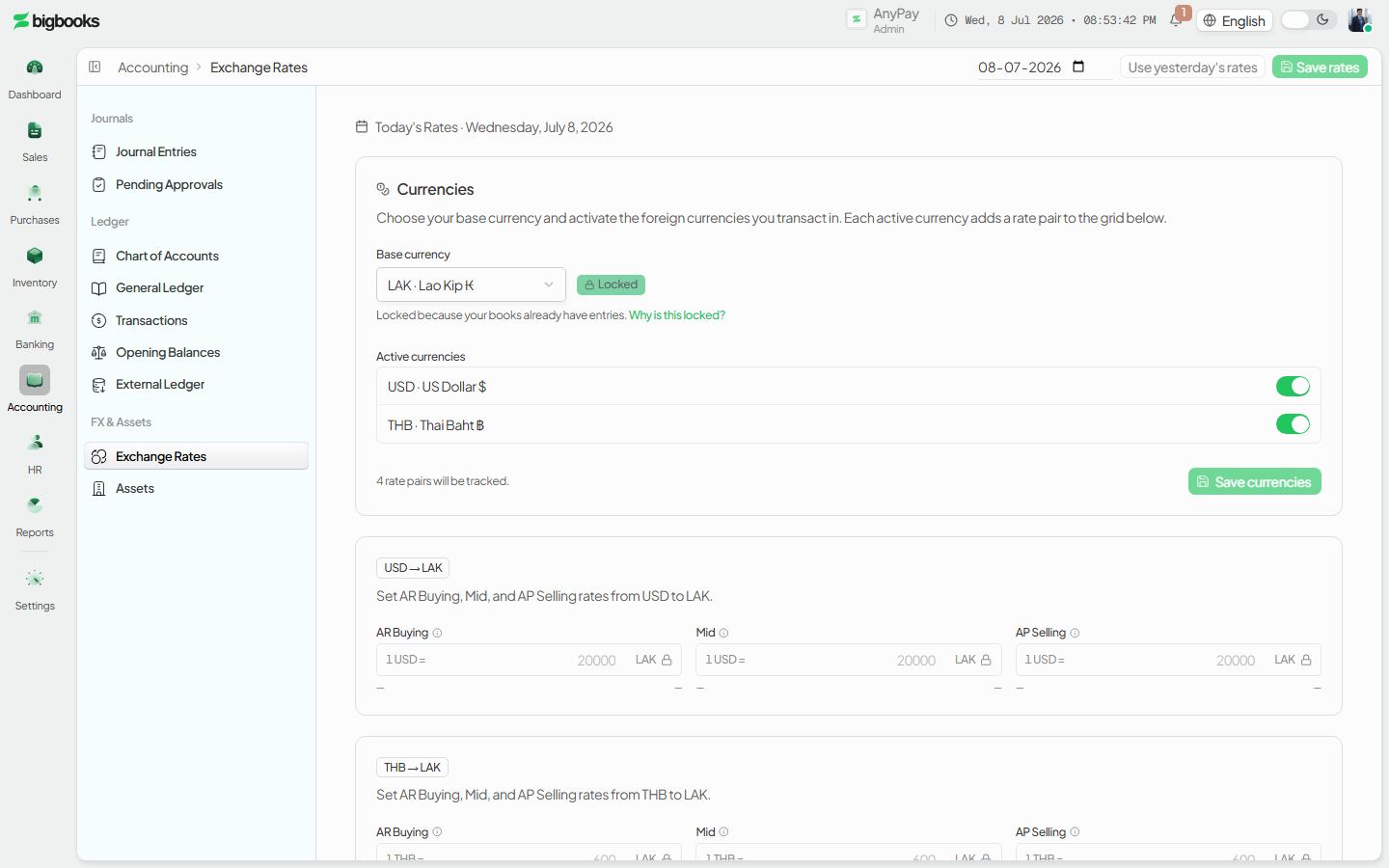
Enter the day's rates For each pair, fill the AR Buying, Mid, and AP Selling cells. Each cell shows yesterday's value in muted text and a 7-day sparkline, so you can sanity-check the magnitude. A small info tooltip on each column explains what that rate type is for. Changed cells are highlighted and counted in a "N changed" badge so you can see exactly what Save will write.
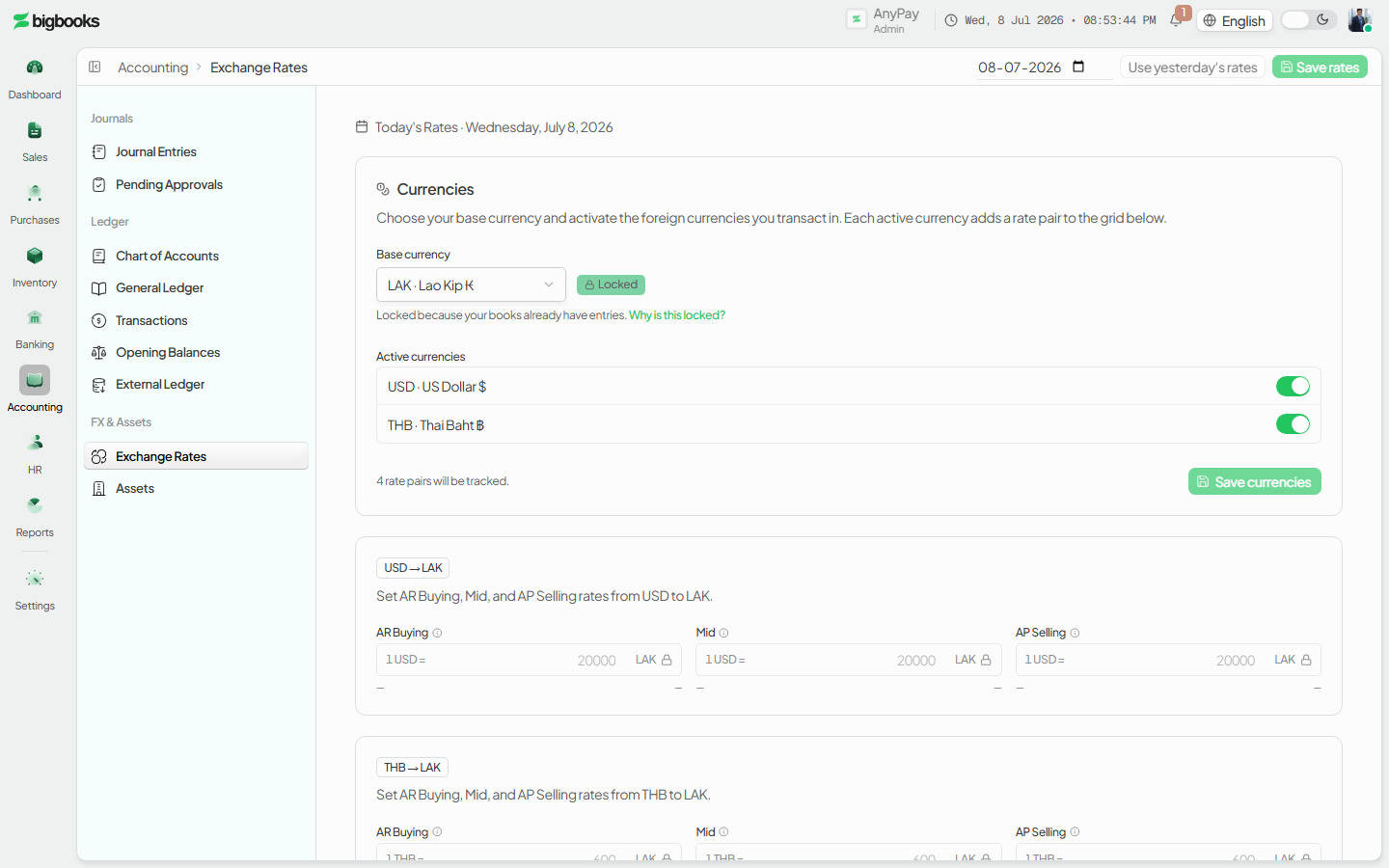
Carry forward when nothing changed If a day's rates are unchanged from the last published values, press Use yesterday's rates to prefill every cell from the most recent prior value. The cells that were filled flash briefly; this counts as a carry-forward, not a manual edit.
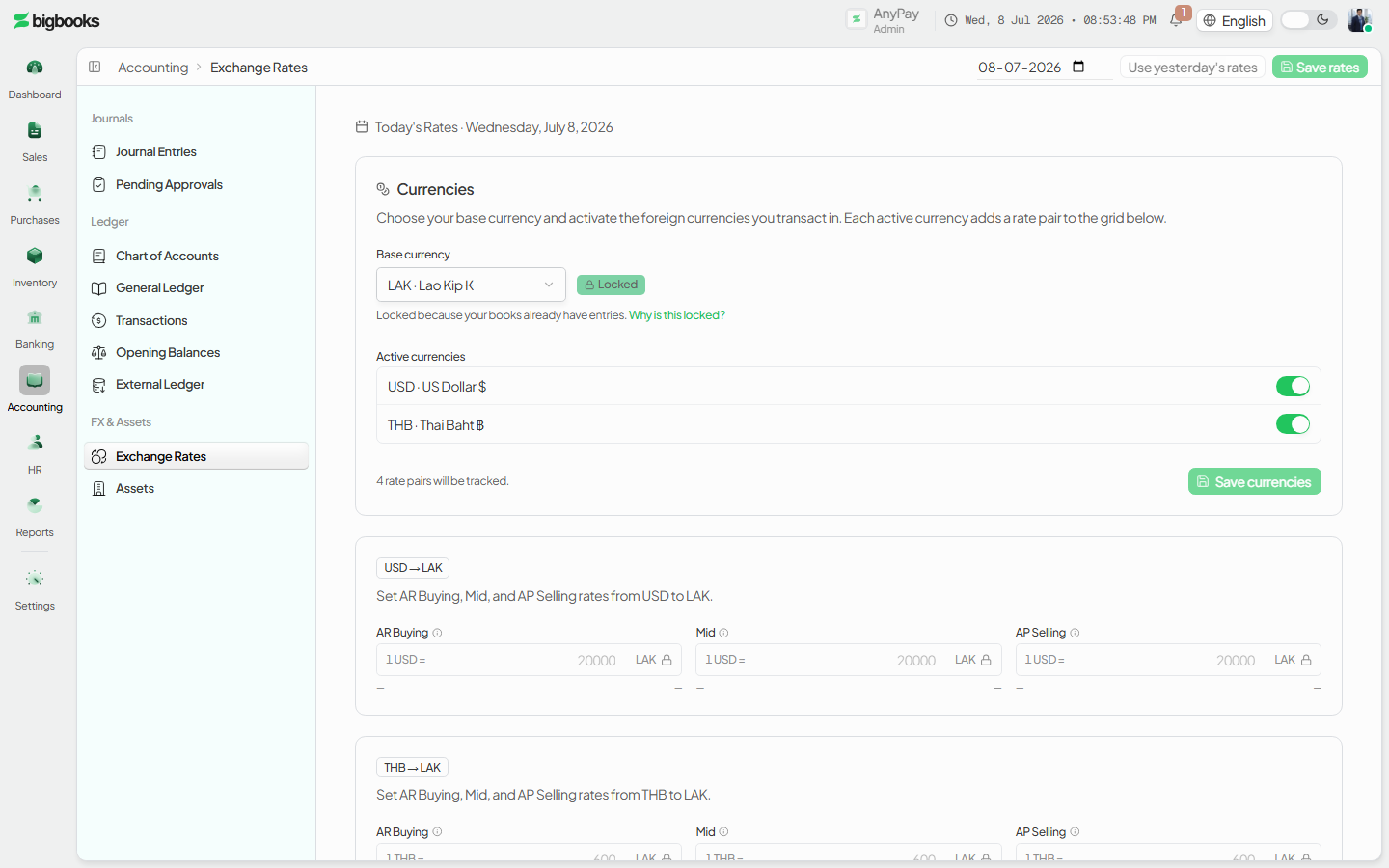
Save Press Save to write all changed cells at once. If any cell would overwrite a rate already saved for that date, a confirmation dialog appears first. Cells whose rate has already been used by a journal entry are locked (a lock icon) and skipped automatically — they cannot be silently changed.
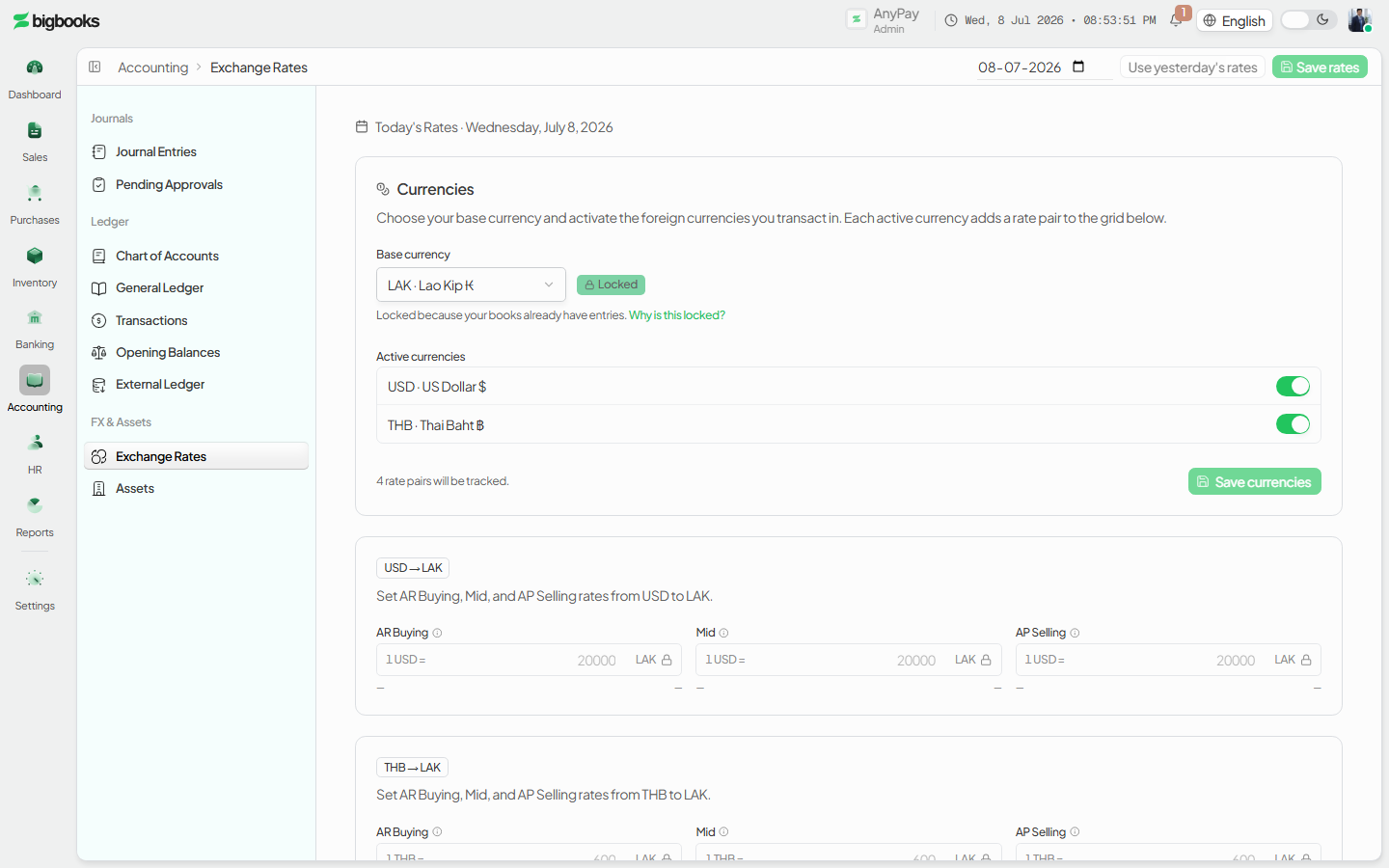
What happens behind the scenes
Saving rates writes rows to the exchangeRates table keyed by company, currency pair, rate type, and effectiveDate (YYYY-MM-DD), with a source of manual or carried_forward (saveTodaysRates in currencies/mutations.ts). Nothing posts to the general ledger here — these rates are the inputs other postings read.
When a transaction posts, BigBooks picks the rate type by the kind of document, not by hand. The single source of truth is lib/rateTypeForSourceType.ts:
- Sales-side → AR Buying. Invoices, goods receipts, and customer payments received. You "buy" the foreign currency when the customer hands it over, so the bank's buy rate applies.
- Purchase-side → AP Selling. Expenses, supplier invoices, payroll, purchase orders, and supplier payments made. You "sell" foreign currency to pay the supplier, so the bank's sell rate applies.
- Internal → Mid. Manual journal entries, opening balances, closing and adjustment entries — the canonical book rate.
The chosen rate is stamped onto the transaction at the moment it is created or issued: a foreign-currency invoice stores its exchangeRate on the document (and a non-LAK invoice cannot be issued without one), and a payment stamps the rate effective on its payment date. The journal entry then values its LAK base from that stamped rate (invoices/mutations.ts uses invoice.exchangeRate ?? 1). Because the rate is captured on the source document, editing today's grid does not re-value anything already posted — historical entries keep the rate they were booked at, which is what makes the audit trail stable for MoF 2020.
The rate gate (checkRateGate in currencies/queries.ts) reports readiness for a date: ready when every active pair has its rates, soft_block when a pair is missing today's rate but has a prior value to carry forward, and hard_block when a pair has no historical rate at all (cold start). The grid shows a banner for soft- and hard-block so you know to enter a rate before posting FX transactions for that date.
Common problems
- No rate for the date (hard block): A pair with no historical rate at all blocks FX postings — enter at least one rate for it before transacting.
- Carry-forward available (soft block): A pair missing today's rate but with a prior value shows the carry-forward prompt; press Use yesterday's rates, review, and save.
- Locked cell won't change: Once a journal entry on that date references a rate, the cell locks. Saving again skips locked cells rather than altering a posted figure; correct it via an adjustment instead.
- Editing a rate after postings exist: Changing a rate only affects future postings — already-posted entries keep their stamped rate and are not re-valued.
- Only one rate type entered: Sales convert on AR Buying and purchases on AP Selling, so leaving one column blank can block the matching transaction. Fill both for any pair you both buy and sell in.
- Read-only grid: If the cells are not editable you have view-only access — maintaining rates needs an admin (or account-manager) role.
- Inverted rate: The cell reads "1
{foreign}= ____ LAK"; check the magnitude against the muted yesterday value if a conversion looks wildly off.
Cashier Variance Report
As an admin you will open the Cashier Variance report to see each cashier's aggregated cash over/short across a date range, with outliers flagged, so you can spot drawer problems and follow up with the right people.
General Ledger
As an operator, you will run the General Ledger as a filterable report — pick a date range, currency, and accounts — and drill into any account to read its opening balance, every movement with a running balance, and its closing balance.