

Purchase to Goods Receipt
As an operator, you will be able to raise a purchase order and record goods receipt against it, so that the commitment is tracked and stock plus a payable accrual are recognised at the moment goods arrive — ready for the supplier invoice to match against.
What you'll accomplish
As an Operator, you will be able to raise a purchase order and record goods receipt against it, so that the commitment is tracked and stock plus a payable accrual are recognised at the moment goods arrive — ready for the supplier invoice to match against.
Before you start
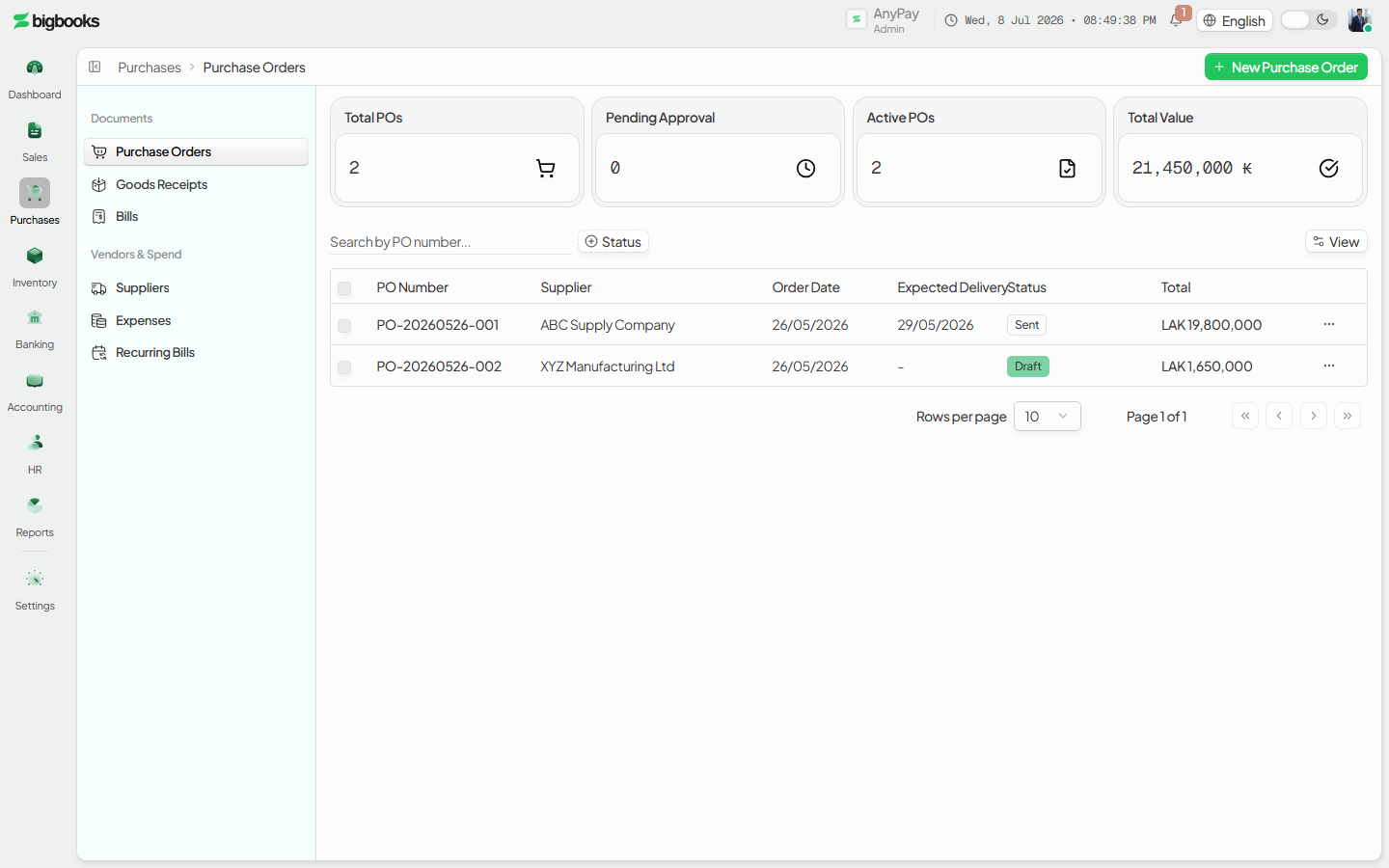
The procure-to-receive flow spans /[lang]/purchase-orders (the commitment) and /[lang]/goods-receipts (the delivery). Both are classic list screens — a stats strip over a filterable table, with an illustrated empty state on first run; opening a row navigates to its detail page, and the New action opens the editor (/[lang]/purchase-orders/new, /[lang]/goods-receipts/new). The purchase order itself is a commitment and does not post to the GL; the accounting begins at goods receipt. Billing and three-way matching happen later on the supplier invoice (see the related Supplier Invoices & Three-Way Match page).
Compliance Note
Amounts are integer satang in LAK. Confirming a receipt is what recognises stock and the accrued payable, so the books reflect what has actually arrived before any bill is paid.
Steps
Raise a purchase order
Go to /[lang]/purchase-orders, open New purchase order, and create a PO with supplier, items, quantities, and prices.
Receive goods against the PO
Navigate to /[lang]/goods-receipts, open New goods receipt, and record a receipt against the PO. Confirm it: the received quantities are logged against the PO line items and the PO moves to partially or fully received.
Hand off to billing
With goods received, the supplier invoice is recorded and matched on /[lang]/supplier-invoices, which clears the accrual raised here.
What happens behind the scenes
1. Purchase Order
Posts nothing — it is a commitment only.
2. Goods Receipt (confirmed)
For inventory-tracked lines, confirming the receipt posts the stock in at the cost actually paid (the PO line price, converted to LAK), with the offset accrued to Goods-Received-Not-Invoiced (GRNI). No VAT is recognised yet — that arrives with the supplier invoice.
| Account | Debit | Credit |
|---|---|---|
| Inventory | Cost Received | - |
| GR-not-invoiced (GRNI) | - | Cost Received |
3. Supplier Invoice
The bill clears GRNI, books the recoverable Input VAT, and credits Accounts Payable — covered in the related Supplier Invoices & Three-Way Match page.
Common problems
- Over-receipt: Receiving more than the remaining PO quantity is blocked.
- Partial Receipts: Leave the PO open (partially received) with a remaining balance.
- PO status: A PO must be sent (or partially received) before goods can be received against it.
- Missing cost: A tracked product with no PO line price and no stored cost blocks confirmation until a cost is supplied.
- Closed Period: Posting a goods receipt into a closed period is blocked.
- Permissions: Operator lacking purchasing permission sees a restricted state.
Pay Suppliers & Recurring Payables
As an operator, you will be able to pay a supplier and set up a recurring payable that drafts itself each cycle, so that regular costs like rent and subscriptions are never missed and each posting is reviewed before it hits the GL.
Supplier Invoices & Three-Way Match
As an operator, you will be able to record a supplier invoice, match it against its purchase order and goods receipt, and post it once approved, so that the payable is recognised against the right accounts, recoverable Input VAT is captured for MoF 2020, and quantity or price discrepancies are caught before payment.