

Supplier Invoices & Three-Way Match
As an operator, you will be able to record a supplier invoice, match it against its purchase order and goods receipt, and post it once approved, so that the payable is recognised against the right accounts, recoverable Input VAT is captured for MoF 2020, and quantity or price discrepancies are caught before payment.
What you'll accomplish
As an Operator, you will be able to record a supplier invoice, match it against its purchase order and goods receipt, and post it once approved, so that the payable is recognised against the right accounts, recoverable Input VAT is captured for MoF 2020, and quantity or price discrepancies are caught before payment.
Before you start
The supplier-invoices screen at /[lang]/supplier-invoices is a classic list — a stats strip (total invoices, pending approval, posted, total outstanding) over a filterable table with Status and Match status filters, and an illustrated empty state on first run. Opening a row navigates to its detail page; New supplier invoice opens the editor at /[lang]/supplier-invoices/new. An invoice can be linked to a purchase order (and the goods receipt under it) so the system runs a three-way match; amounts are stored as integer satang in LAK.
Compliance Note
The three-way match (PO ↔ receipt ↔ invoice) validates quantities and prices before a payable is finalised, and posting books recoverable Input VAT — both required for MoF 2020.
Steps
Record the supplier invoice
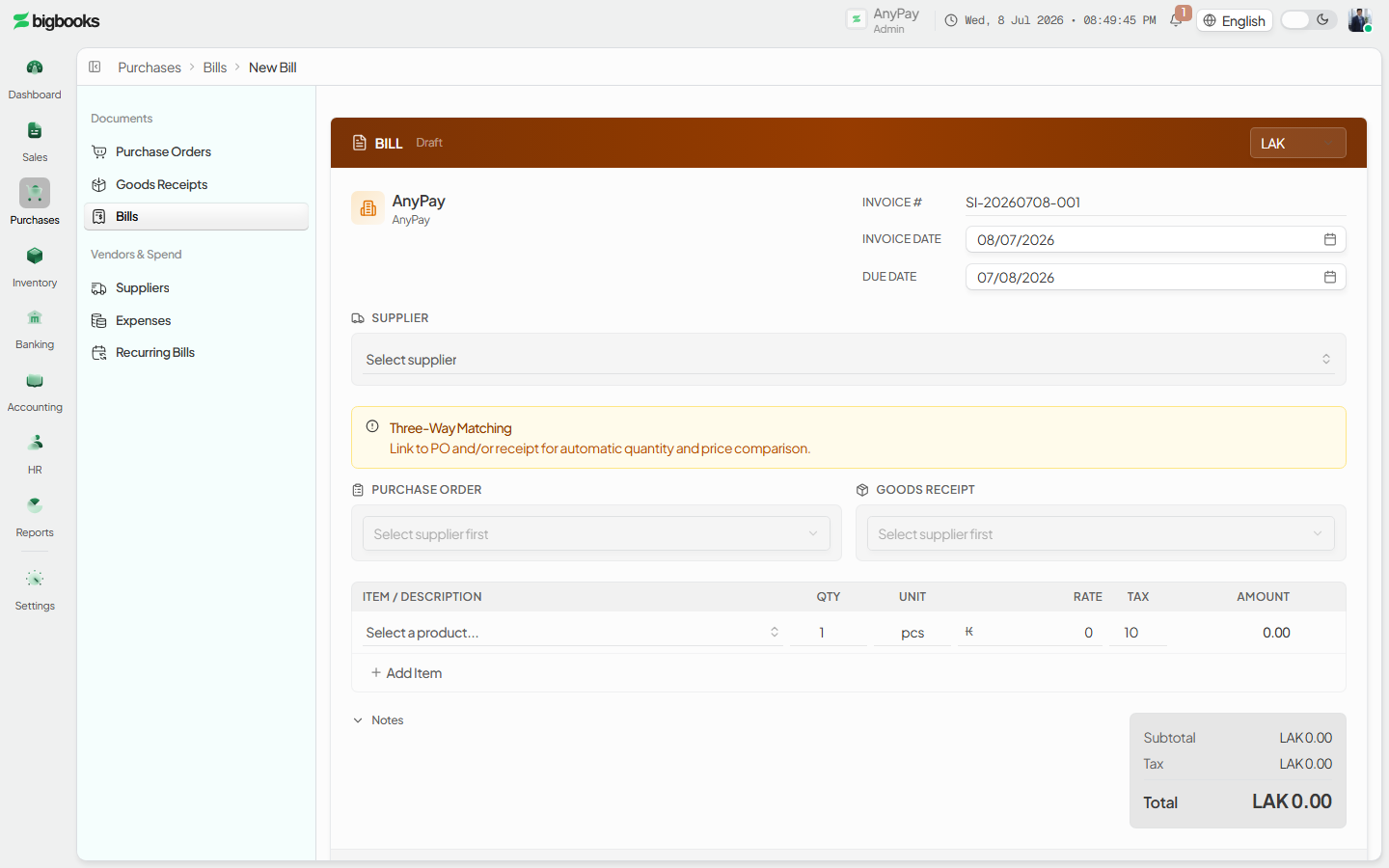
From /[lang]/supplier-invoices, choose New supplier invoice to open the editor. Pick the supplier and, where applicable, the purchase order it bills against (the editor can be reached pre-linked from a PO, including a convert-to-bill flow).
Review the three-way match
When the invoice is linked to a PO or goods receipt, the system compares invoice price and quantity against the PO and the received quantities (5% tolerance) and records a match status — matched, matched within tolerance, variance requiring approval, or not matched.
Approve and post
A matched invoice can be approved and then posted. Posting writes the journal, increases the supplier's outstanding balance, and records a supplier sub-ledger entry. Variances route the invoice to review before it can be approved.
What happens behind the scenes
A purchase order posts nothing and a confirmed goods receipt accrues stock to GRNI (see the related Purchase to Goods Receipt page). Posting an approved supplier invoice clears that accrual and recognises the payable:
| Account | Debit | Credit |
|---|---|---|
| GR-not-invoiced (GRNI) / Expense | Net Amount | - |
| Input VAT | VAT Amount | - |
| Accounts Payable | - | Gross Amount |
For an inventory-tracked line that was received against a PO, the net debit clears GRNI (reversing the receipt accrual). For a service or non-inventory line — or an invoice with no goods receipt — the net debits its own expense account directly. The credit Accounts Payable, the Input VAT account, and any payable sub-account are resolved from the purchase type and the supplier's payable account.
Common problems
- Match exception: Price or quantity outside the 5% tolerance flags a variance that requires approval before posting.
- Over-quantity: An invoice quantity exceeding the PO quantity is blocked.
- No line items: An invoice with no line items cannot be posted.
- Post before approve: Only an approved invoice can be posted.
- Closed Period: Posting an invoice into a closed period is blocked.
- Permissions: Operator lacking invoice or approval permission sees a restricted state.
Purchase to Goods Receipt
As an operator, you will be able to raise a purchase order and record goods receipt against it, so that the commitment is tracked and stock plus a payable accrual are recognised at the moment goods arrive — ready for the supplier invoice to match against.
Counter Sessions, Day Book & Cash Book
As an operator you will open and close your counter cash session, and as an admin you will read the Day Book and Cash Book report grids — so the day's takings are recorded as a balanced journal entry and reconciled cleanly against the bank.