

Official Notices
As an operator or admin, you will receive official communications from the authorities, respond to the ones that require a reply, and keep a record of the exchange.
What you'll accomplish
As an Operator or Admin, you will receive official communications from the authorities, respond to the ones that require a reply, and keep a record of the exchange.
Before you start
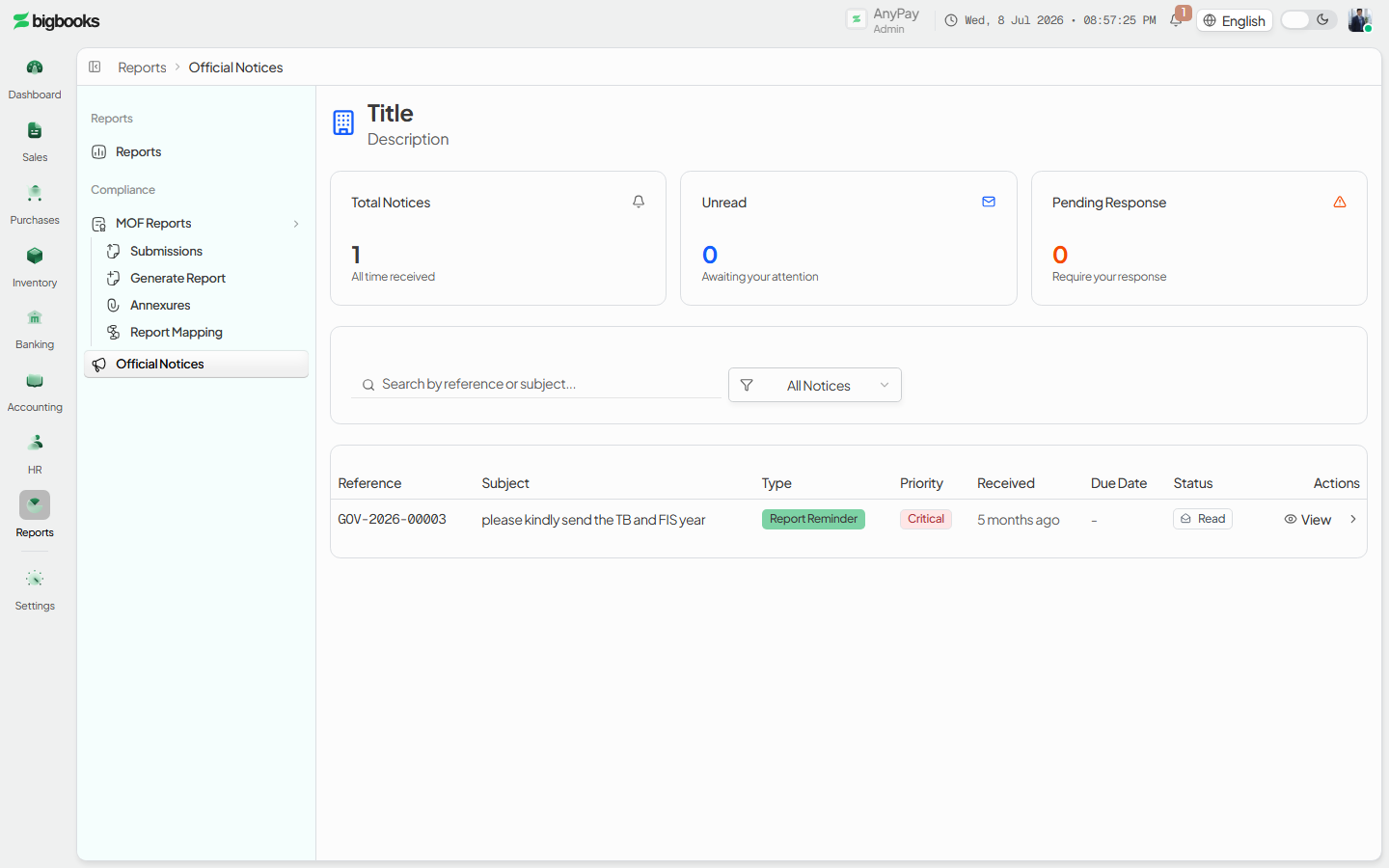
Official notices live at /[lang]/official-notices, with a document view at /[lang]/official-notices/[noticeId]. The list is a simple search-and-filter table (reference number, subject, type, priority, received and due dates, status); stats cards count total, unread, and pending-response notices. Unread rows are highlighted, and overdue due dates show in red. The detail page renders the notice as an official ministry-branded document with a response form and a conversation thread.
Official notices are a communication channel from the authorities. They may reference a report (for example a "report reminder"), but they are not linked to a report submission record — responding to a notice does not submit a report, and submitting a report does not close a notice. Handle each in its own screen.
Steps
Scan your notices
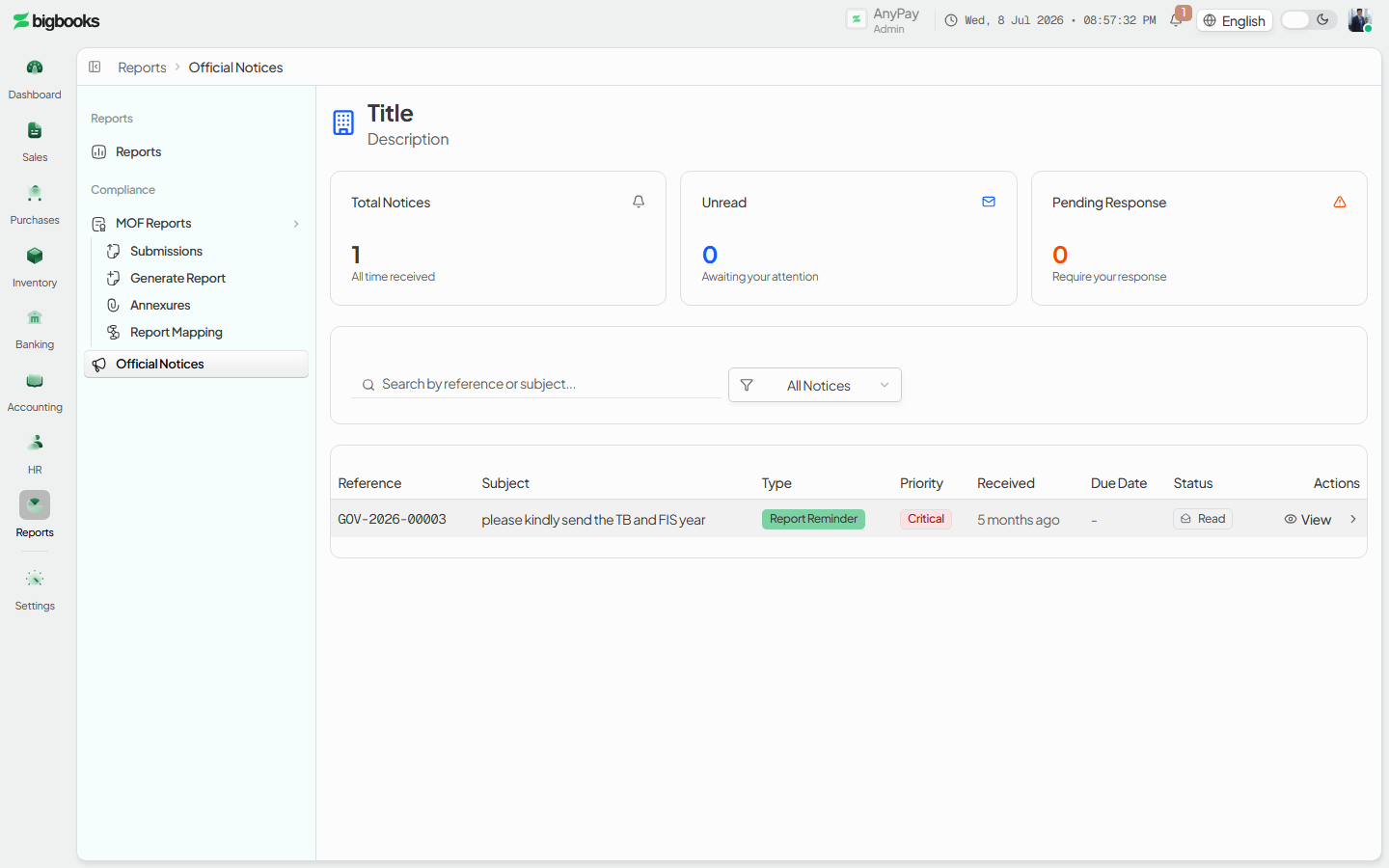
Open /[lang]/official-notices. Filter by status (All / Unread / Pending response / Responded) or search by reference number or subject. The cards at the top show how many are unread and how many still need a response; priority and overdue badges flag the urgent ones.
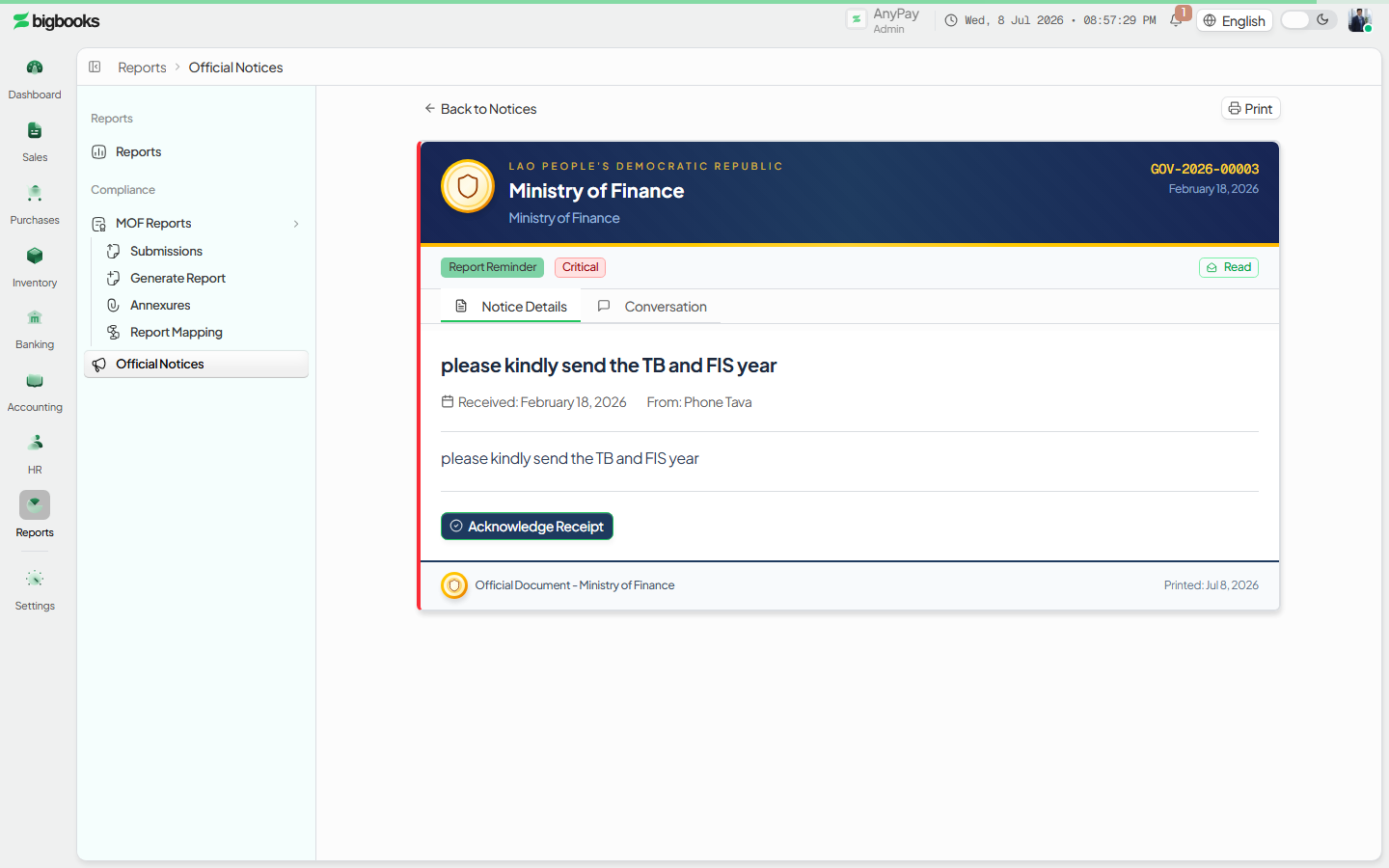
Open and read a notice Click a notice to open the official document. The header carries the reference number, department, and dates; the body shows the message and any attachments. Opening it marks it as read. If it does not require a response, you can Acknowledge it.
Respond before the due date For a notice that requires a response, an alert shows the due date (red once overdue). Click Write Response, enter your reply in English (and optionally Lao), and submit. The notice moves to responded and your reply is shown with its review status once the authority reviews it.
What happens behind the scenes
Notices are created on the authority side by sendOfficialNotice in government/communications.ts, which assigns a reference number in the form GOV-<year>-<sequence> and stores the notice in the officialNotices table with a type (audit notice, report reminder, info request, compliance warning, acknowledgment, general), a priority, and an optional response due date. Your company reads the list and detail through government/queries.ts.
Your actions run through government/mutations.ts: markOfficialNoticeRead fires when you open a notice (advancing its status sent → delivered → read), submitNoticeResponse stores your bilingual reply and moves the status to responded, and acknowledgeNotice records an acknowledgment where no full response is required. The authority can then mark your response satisfactory, needs-follow-up, or pending, and a multi-message conversation thread keeps any back-and-forth. The status progression is one-way, and a sent notice cannot be recalled. Nothing here touches the general ledger.
Common problems
- A notice won't let me respond: It does not require a response (you can only Acknowledge it), or you have already responded.
- Response overdue: The due date has passed; submit your response anyway — the overdue state is recorded, but a reply still beats none.
- Expecting a notice to close my report obligation: Notices and report submissions are separate — submit the report on the Report Submissions screen as well.
- Can't find a notice: Check the status filter; responded notices drop out of the "Pending response" view.
- Lao text missing: The Lao response field is optional; English is required.
Inventory Valuation & Reconciliation
As an operator or admin, you will read the current value of your stock product by product, and confirm that the inventory figures on your books match the general ledger.
Tax & Report Submissions
As an operator or admin, you will submit the periodic compliance reports your company owes the authorities (monthly trial balance, quarterly/annual financials, tax returns), and track each one through the government review cycle.